How to Manage Hundreds of Model Portfolios With Custom Agency Software
For modeling agencies in the United States, the right setup can make a large talent roster easier to manage without relying entirely on manual administration.
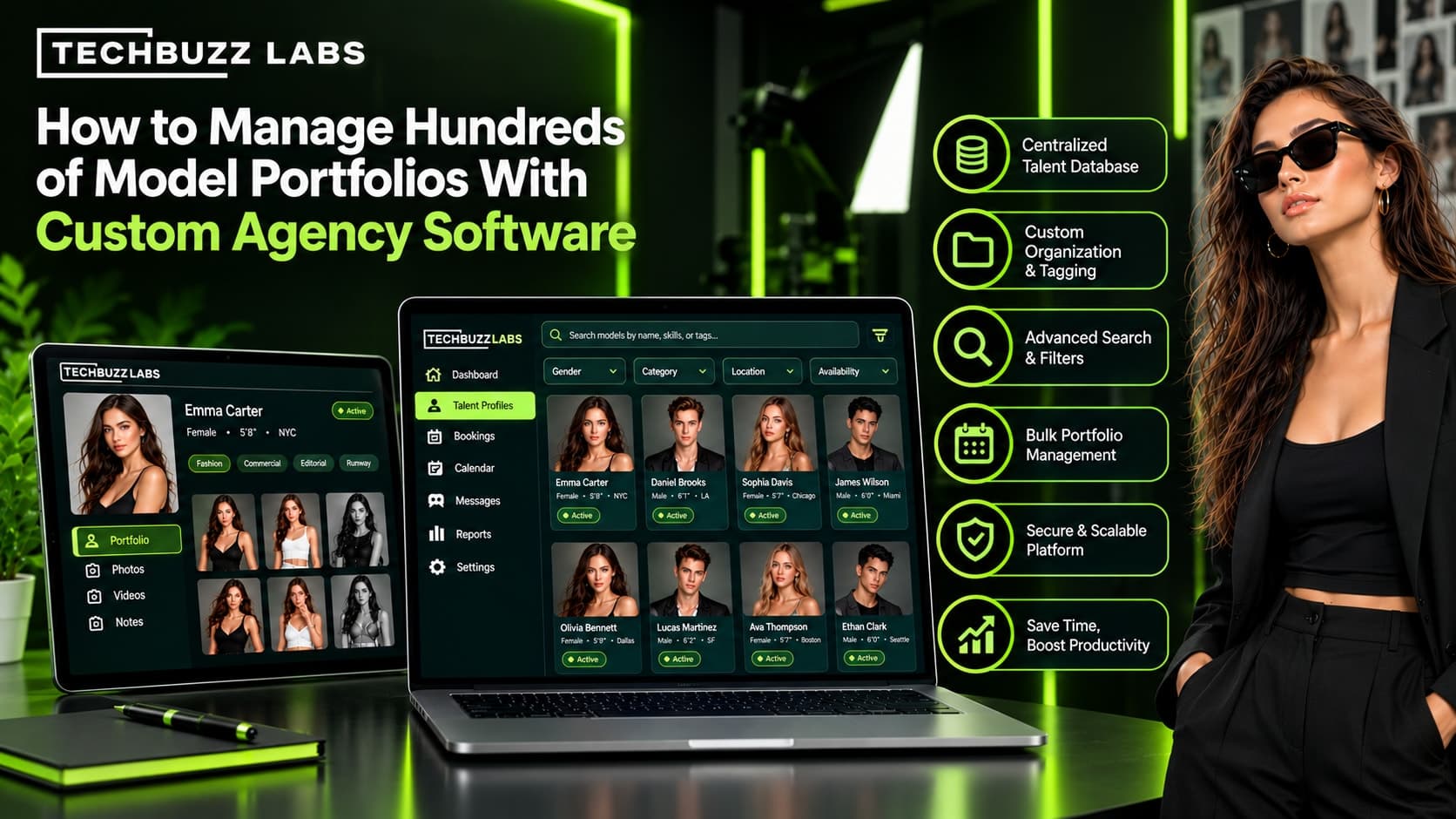
Managing a small group of model portfolios may be possible with spreadsheets, shared folders, and email. But as a modeling agency expands to hundreds of models, these methods can become difficult to maintain. Agents must keep photographs current, update profile details, organize talent submissions, track availability, and share relevant portfolios with clients.
When information is spread across disconnected tools, duplicate records and outdated files can slow down everyday operations. Custom agency software offers a way to organize these activities around a centralized system designed for the agency's workflow.
Why Managing Hundreds of Portfolios Becomes Difficult
A large model database includes more than names and photographs. Each profile may contain contact information, measurements, experience, portfolio images, location, skills, submission history, and booking details.
As the roster grows, common challenges include:
Difficulty finding a suitable model for a client brief
Duplicate or incomplete talent records
Outdated photographs and profile information
Time-consuming manual portfolio preparation
Confusion over which portfolio version was shared
Limited visibility into casting submissions and client feedback
These problems are often caused by fragmented processes rather than roster size alone. A consistent database and clear workflow can make a significant difference.
1. Build a Centralized Talent Database
The first step is to create a reliable source of information for every model represented by the agency.
Custom agency software can organize profiles using consistent fields, such as contact details, professional experience, location, skills, portfolio assets, and relevant booking information. Each model should have a unique record to help prevent duplicate entries.
Agencies should decide which fields are essential and which are optional. Standardizing this information makes profiles easier to compare and helps teams search the database more effectively.
A centralized system also reduces the need for staff to maintain separate copies of the same information.
2. Organize Portfolio Images and Versions
Hundreds of portfolios can generate thousands of individual image files. Without a clear structure, agents may waste time searching for approved photographs or accidentally share outdated material.
A portfolio management system should support organized galleries, clear file labels, upload dates, and straightforward replacement of older images.
Agencies can establish naming conventions and categories for different types of portfolio content, such as commercial, editorial, lifestyle, or fitness work where relevant to their business.
Version tracking or approval workflows can help team members identify which images are ready for client use. Agencies should also confirm that image storage, backup, and access controls meet their operational needs.
3. Use Search Filters to Find Talent Faster
When a client submits a brief, agents need a practical way to identify relevant candidates from a large roster.
Custom software can provide search filters based on the agency's actual data. Depending on the project and profile fields, these may include:
Location and travel requirements
Relevant professional experience
Skills or specialized capabilities
Availability for the requested dates
Portfolio categories and other client requirements
For example, an agency responding to a national retail campaign could narrow its roster by location, availability, and relevant experience before reviewing the shortlisted profiles.
Filters should support legitimate project requirements and consistent, fair selection practices. Results are only as useful as the information maintained in the database.
4. Automate Routine Profile Updates
Model profiles change over time. Photographs may need refreshing, contact details can change, and new work may add to a model's experience.
Custom software can support structured update processes, such as reminders to review records, forms for submitting new information, or approval steps before changes become visible to clients.
A practical update workflow could include:
Request updated information or photographs.
Receive the materials through an approved process.
Review the information for completeness and permissions.
Update the model's profile.
Confirm that the current portfolio is ready for sharing.
Not every step needs automation. Agencies should automate repetitive tasks while keeping appropriate human review for accuracy, image permissions, and professional presentation.
5. Make Portfolio Sharing More Efficient
Agents often need to prepare different selections for different clients. One campaign may require a short list of candidates, while another may need a broader portfolio presentation.
Custom agency software can support client-specific shortlists, digital comp cards, shareable links, or downloadable portfolio materials, depending on the agreed feature set.
Access controls should determine who can view each portfolio and whether a link can be restricted or revoked. Agencies should also document how photographs and personal information may be shared.
A standardized sharing process can reduce repeated file preparation and help clients review talent more consistently.
6. Connect Portfolios With Casting and Booking
Managing profiles in isolation can leave agencies with extra manual work. Connecting portfolio records to casting and booking workflows helps keep the wider process organized.
A connected system may allow agents to:
Record client briefs and project deadlines
Search and shortlist suitable models
Track portfolio submissions
Record feedback and decisions
Review relevant availability
Maintain booking and project history
This creates a clearer record of how a model's portfolio is used throughout the agency's operations.
7. Set User Permissions and Data Standards
Large teams need clear rules for who can update profiles, approve photographs, access client information, and share portfolios externally.
Custom software can be configured with role-based access and approval processes. Agencies should also establish data standards, assign responsibility for profile maintenance, and schedule periodic reviews.
Security measures such as secure authentication, backups, and appropriate access restrictions should be evaluated during planning. Agencies should consider applicable privacy obligations and the rights associated with model photographs.
How to Plan Custom Agency Software
Before developing a solution, map the agency's current workflow. Identify the biggest bottlenecks, the systems already in use, and the features that would reduce the most manual work.
Start with essential capabilities such as a centralized talent database, image organization, search, profile updates, and controlled portfolio sharing. Add more advanced integrations when they solve a clearly defined problem.
A phased rollout can help teams test the system, correct data issues, and learn new processes before moving the entire roster. Compare development and maintenance costs with suitable ready-made platforms before deciding.
How TechBuzz Labs Fits Into the Process
TechBuzz Labs is an option for agencies exploring software and CRM solutions tailored to their business processes. Agencies considering custom development should discuss their roster size, current tools, profile structure, user roles, portfolio-sharing needs, and expected future growth.
A well-defined project scope helps establish which features are necessary, which integrations are practical, and how the agency will measure success.
Conclusion
Managing hundreds of model portfolios requires consistent data, organized image libraries, effective search, reliable updates, and controlled sharing. Custom agency software can bring these activities into one coordinated workflow and connect them with casting and booking operations.
The key is to build around real agency requirements. With clear data standards, suitable permissions, and a phased implementation plan, agencies can manage a growing talent roster more systematically while reducing avoidable administrative work.