Model Portfolio Management Software for Growing Agencies: Key Features and Benefits
For modeling agencies across the United States, choosing the right software can make portfolio management more efficient while helping teams maintain accurate, professional talent profiles.

As a modeling agency grows, managing talent portfolios becomes more complex. What once involved a few spreadsheets and image folders can quickly turn into hundreds of model profiles, thousands of photographs, client submissions, and booking records. Without an organized system, agents may spend valuable time searching for information, updating profiles manually, and preparing portfolios for clients.
Model portfolio management software helps modeling agencies organize talent information, manage digital images, and simplify the process of sharing portfolios. By bringing essential information into one centralized platform, agencies can improve daily operations, support team collaboration, and prepare for future growth.
What Is Model Portfolio Management Software?
Model portfolio management software is a digital platform that helps agencies create, organize, update, and share model profiles. A profile may contain professional photographs, measurements, experience, skills, contact details, portfolio links, and other information relevant to talent representation.
Depending on the platform, additional capabilities may include digital comp cards, talent search, casting submissions, client management, and booking workflow integration.
Instead of maintaining information across separate spreadsheets, emails, and shared folders, authorized team members can access a centralized database.
Key Features of Model Portfolio Management Software
1. Centralized Model Profile Management
A centralized talent database is one of the most important features for a growing modeling agency. It gives each model a dedicated record containing relevant professional information and portfolio assets.
Useful profile fields may include:
Professional photographs and digitals
Experience, skills, and relevant credits
Contact information and representation details
Location and availability
Portfolio links and digital comp cards
Relevant casting submissions and booking history
Consistent profiles make it easier for agents to locate information, compare candidates against project requirements, and maintain accurate records.
2. Image and Digital Asset Management
Photographs are essential to a model's professional presentation. As an agency's roster expands, managing image files manually can become time-consuming.
Look for software that supports organized image galleries, file previews, clear labels, upload dates, and straightforward image replacement. Some platforms may also allow agents to group selected images for specific campaigns or client presentations.
Agencies should evaluate storage capacity, image quality, backups, and access permissions. A clear approval process helps ensure that only appropriate, up-to-date photographs are used in client-facing portfolios.
3. Advanced Search and Filtering
A large database is valuable only when agents can find suitable talent efficiently.
Search and filtering tools help teams narrow model profiles according to relevant project requirements, such as location, professional experience, availability, skills, and portfolio category.
For example, if a client needs talent for a commercial campaign in New York, an agent can filter the database and review a shortlist rather than opening hundreds of individual profiles.
Accurate data is essential for effective search. Agencies should establish consistent profile fields and assign responsibility for keeping information current.
4. Digital Comp Cards and Portfolio Sharing
Modeling agencies frequently share portfolios with brands, casting directors, photographers, and production companies. Preparing each presentation manually can create unnecessary administrative work.
Useful features may include digital comp card creation, shareable portfolio links, client-specific shortlists, and downloadable presentations.
These capabilities can help agencies present talent consistently and respond to client requests more efficiently. Access controls are also important, allowing agencies to manage who can view shared information and, where supported, restrict or revoke access.
5. Profile Updates and Approval Workflows
Model portfolios change as talent gains experience, updates photographs, or provides new professional information. Outdated profiles can make it harder for agencies to present talent accurately.
Portfolio management software may support update reminders, information submission forms, review notifications, and approval workflows.
For example, when a model submits new photographs, an authorized team member can review the files, approve the appropriate images, and update the profile. This creates a more consistent process than relying on individual agents to maintain separate folders.
6. Casting and Booking Integration
Portfolio management is often only one part of an agency's workflow. Teams also manage client briefs, casting submissions, feedback, schedules, and bookings.
Software that connects portfolios with casting or booking tools can help agents move between these tasks without repeatedly copying information across systems.
A connected workflow may allow an agency to search for talent, prepare a shortlist, record submissions, track client feedback, and maintain relevant booking history.
Before selecting a platform, agencies should confirm which integrations are available and whether they fit existing business processes.
7. User Permissions and Data Security
Growing agencies may have administrators, bookers, talent managers, and other staff members who need different levels of access.
Role-based permissions can help control who can view or edit model information, approve images, manage client records, and share portfolios externally.
Agencies should also assess secure authentication, backup procedures, data retention, and privacy requirements. Because portfolios contain photographs and personal information, responsible data handling should be part of the software selection process.
Benefits of Model Portfolio Management Software for Growing Agencies
Reduce Administrative Work
Centralized profiles and organized image libraries can reduce the time spent searching through folders, checking spreadsheets, and preparing portfolio files manually.
Improve Portfolio Accuracy
Structured update and approval processes help agencies identify outdated images and incomplete profile information before sharing portfolios with clients.
Improve Client Response Times
Search tools and reusable portfolio materials can help agents identify relevant talent and prepare client presentations more efficiently.
Support Team Collaboration
A shared system gives authorized team members access to consistent information, reducing confusion caused by duplicate files and disconnected records.
Scale With Agency Growth
A suitable platform can support a larger talent roster, additional employees, and more complex workflows as an agency expands.
Custom Software vs. Ready-Made Portfolio Platforms
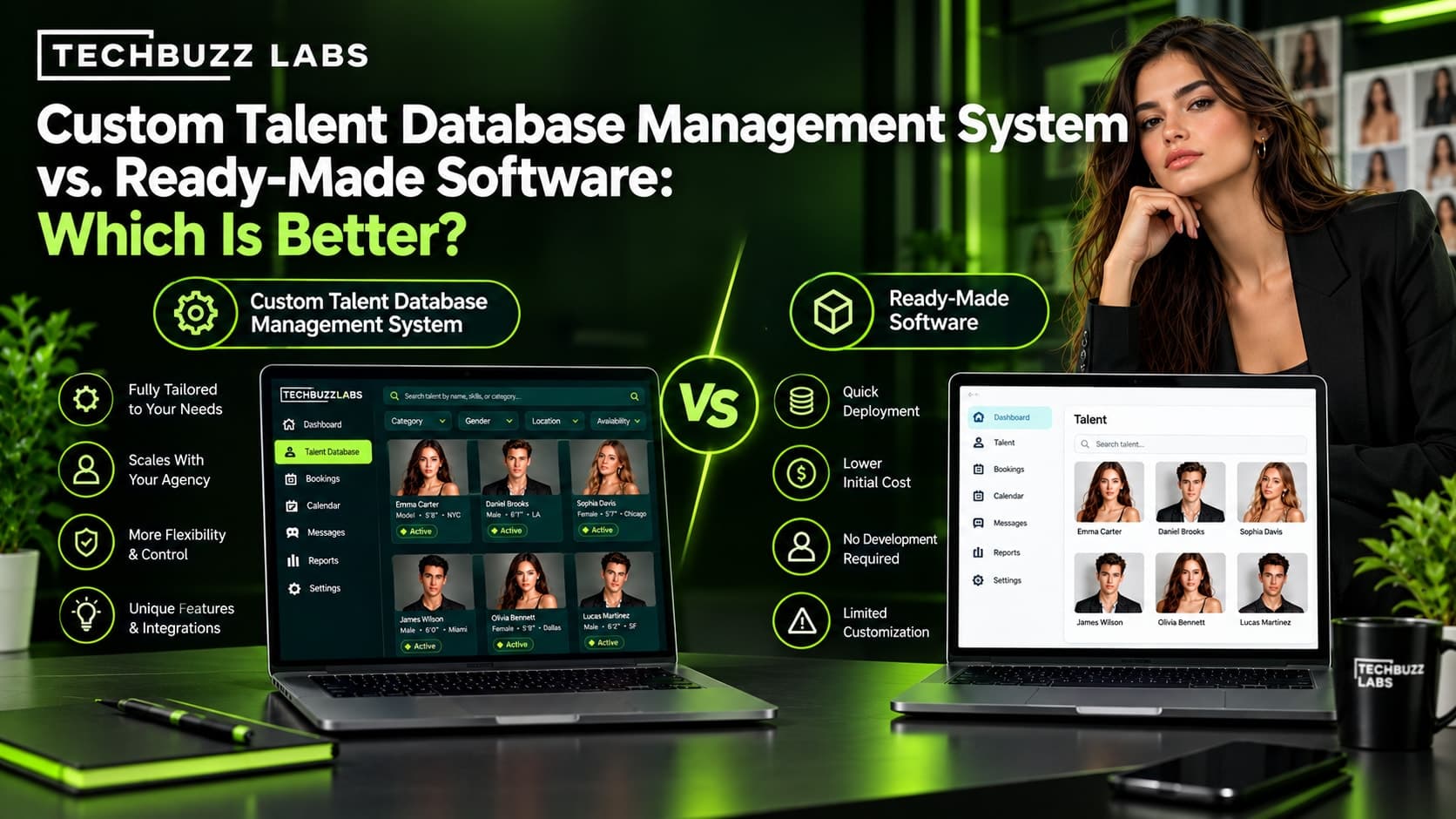
Ready-made software may be suitable for agencies with straightforward requirements and standard workflows. Custom agency software may be worth considering when a business needs specialized profile fields, unique approval processes, tailored reporting, or integrations with existing CRM and booking systems.
However, custom development requires planning, implementation, testing, and ongoing maintenance. Agencies should compare total costs, usability, support, security, and scalability before deciding.
A practical starting point is to identify the agency's biggest bottlenecks and prioritize features that address them. A phased implementation can help staff test the system and improve workflows before the entire roster is migrated.
How TechBuzz Labs Can Help
TechBuzz Labs is a technology option for agencies exploring custom software, CRM solutions, and workflow improvements.
For modeling agencies dealing with scattered portfolio files, manual updates, or disconnected client records, a tailored platform may help connect model profiles, image libraries, casting submissions, and booking information.
The process should begin with a review of current operations, existing tools, team requirements, and future growth plans. This helps agencies define a practical software scope and prioritize features that support measurable business needs.
Conclusion
Model portfolio management software helps growing modeling agencies organize talent profiles, manage photographs, simplify updates, and share portfolios with clients. Features such as centralized databases, advanced search, digital comp cards, secure access, and casting integrations can improve operational efficiency.
For U.S. modeling agencies, the best solution is one that fits existing workflows, protects talent information, and supports future growth. By evaluating practical needs before choosing a platform, agencies can build a more organized and scalable approach to portfolio management.